
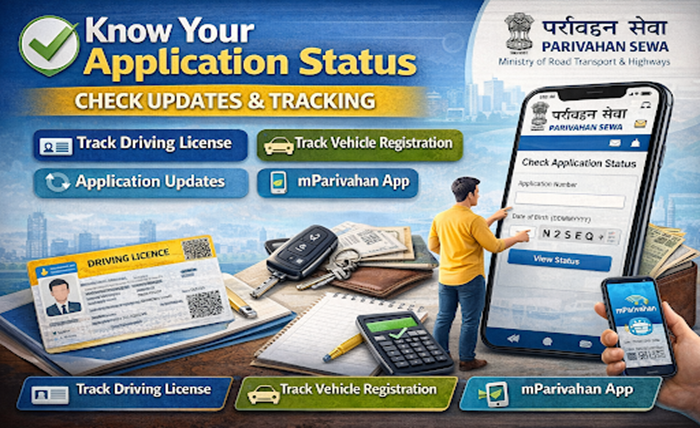
Have you ever submitted an application for a driving license or vehicle registration and then wondered what’s happening with it? Staying on top of your application status can save you time and reduce stress. With parivahan sewa, the government’s online platform, checking updates is straightforward and quick.
This service brings everything under one roof, so you don’t have to visit offices repeatedly. Whether it’s for a new permit or a renewal, knowing your application status keeps you informed every step of the way. Let’s dive into how you can use parivahan sewa to track things easily.
In this guide, we’ll cover the basics and walk you through the process. You’ll learn tips to make tracking smoother and avoid common pitfalls. By the end, you’ll feel confident handling your updates on your own.
What is Parivahan Sewa?
Parivahan sewa is the main online portal run by the Ministry of Road Transport and Highways in India. It handles all kinds of vehicle and driving-related services. From applying for licenses to registering vehicles, it’s designed to make things digital and user-friendly.
The portal splits into sections like Sarathi for driving licenses and Vahan for vehicle matters. This setup helps users find what they need without confusion. Millions rely on it daily for quick access to government services.
Using parivahan sewa means less paperwork and faster processing. You can apply from home and then check progress anytime. It’s a big step toward making transport services more accessible for everyone.
Why Check Your Application Status Regularly?
To know your application status, keeping an eye on it helps you spot issues early. If there’s a delay or missing document, you’ll know right away. This way, you can fix things before they become bigger problems.
Regular checks also give you peace of mind. Instead of waiting in the dark, you see real-time updates. For busy people, this saves trips to the regional transport office.
Plus, tracking ensures you’re ready for the next steps, like tests or inspections. It turns a waiting game into an active process. In short, it puts you in control of your timeline.
Steps to Check Driving License Application Status
Start by going to the parivahan sewa website. Look for the “Online Services” tab and pick “Driving License Related Services.” This takes you to the Sarathi section.
Next, choose your state from the list. Then, click on “Application Status” in the menu. You’ll need your application number and date of birth to proceed.
Enter the details along with the captcha code. Hit submit, and you’ll see the current status. It might show pending, approved, or ready for dispatch.
If you face any errors, double-check your inputs. Sometimes, a small mistake in the number can cause issues. This method works for new licenses, renewals, or duplicates.
How to Track Vehicle Registration Updates?
For vehicle-related tracking, head to the Vahan part of parivahan sewa. Under “Online Services,” select “Vehicle Related Services.” Pick your state and regional transport office.
Once there, find the “Application Status” option. Input your application number and other required info, like chassis number if asked. Don’t forget the captcha.
The screen will display updates on registration, transfer, or hypothecation. You can see if it’s under review or approved. This keeps you updated without calling the office.
For electric or special vehicles, there’s a Green Sewa section. It follows similar steps but focuses on eco-friendly options. Always note down your application number after submitting.
Using the mParivahan App for On-the-Go Tracking
The mParivahan app is a handy tool linked to parivahan sewa. Download it from your phone’s store and sign up with your details. It’s free and works on most devices.
In the app, tap on “Application Status” from the main menu. Enter your number and verify with OTP if needed. You’ll get instant updates right on your screen.
This is great for quick checks while traveling. It also stores your documents digitally. No more carrying papers everywhere.
Keep the app updated for the best experience. It notifies you of changes, so you stay ahead. Perfect for those who prefer mobile over desktop.
Common Documents Needed for Applications
Before applying, gather your proof of identity, like Aadhaar or passport.
Address proof, such as a utility bill or voter ID, is also required.
For driving licenses, include age proof and medical certificates if applicable.
Vehicle papers might need invoices, insurance, and emission certificates.
Having these ready speeds up the process.
Check the portal for specific lists per service.
Tips to Make Tracking Easier
Always save your application number immediately after submission. It’s your key to all updates.
Set reminders to check status every few days, especially near deadlines.
Use a stable internet connection to avoid glitches during checks.
If status doesn’t update, contact support through the portal’s help section.
Bookmark the parivahan sewa page for quick access.
Share your number only with trusted people.
These habits turn tracking into a simple routine.
Dealing with Delays in Application Processing
Delays can happen due to high volume or incomplete submissions. First, review your status for any notes on what’s missing.
If it’s stuck, resubmit documents online if the option shows up. Avoid rushing to the office unless necessary.
Patience helps, but follow up after a week if no change. The portal often lists expected timelines.
In rare cases, technical issues on the site cause hold-ups. Wait a day and try again.
Knowing common reasons prepares you better.
Benefits of Online Tracking Over Traditional Methods
Online tracking cuts down wait times compared to in-person visits.
You get updates 24/7, not just during office hours.
It’s eco-friendly with less paper use.
Accuracy is higher since details come straight from the system.
No long queues or travel costs involved.
Everyone wins with this modern way.
Security Tips When Using the Portal
Create a strong password for your account.
Avoid sharing personal info on public networks.
Log out after each session.
Report suspicious activity right away.
Update your contact details for alerts.
These steps keep your data safe.
Staying Updated on New Features
The portal adds tools now and then. Check the news section for announcements.
Subscribe to updates if available.
Follow official social media for tips.
This keeps you in the loop.
New apps or integrations might come soon.
It’s worth watching.
Frequently Asked Questions
What if I forget my application number? Look for it in your email or SMS confirmation.
How long does it take to process? It varies, but usually 15-30 days.
Can I check status without internet? No, it’s online-only.
Is there a fee for checking? It’s free.
What if status shows rejected? See reasons and reapply.
These cover most doubts.
Conclusion
Knowing your application status through parivahan sewa makes life simpler. You’ve got the steps to check updates and track progress without hassle. Regular checks ensure everything moves smoothly.
This platform changes how we handle transport needs. From driving licenses to vehicle registrations, it’s all at your fingertips. Give it a try next time you apply.
Stay proactive, and you’ll avoid surprises. With these tips, you’re set for success in managing your applications.